We have completed the network sunset migration successfully.
Now community members can claim their historical assets from Phala and Khala via the following pages:
- Phala Claim Page: Claim Phala/Khala Assets | Phala App
- Khala Claim Page: Claim Phala/Khala Assets | Phala App
1. Asset Categories
The Phala asset data is based on a snapshot taken at Phala network block #9064613. The following types of assets have been mapped and included:
① Free PHA
- Non-staked PHA previously held on the parachains
- Will be claimed directly as ERC20 PHA on Ethereum mainnet
② Delegation (Staked Assets)
- Assets staked in StakePools or Vaults
- Will be claimed to Phala L2 as vPHA (ERC20)
③ Unclaimed Rewards (StakePool Owners / Vault Owners)
- Rewards not previously claimed during the parachain era
- Will be claimed directly as ERC20 PHA on Ethereum mainnet
2. How to Claim Your Assets
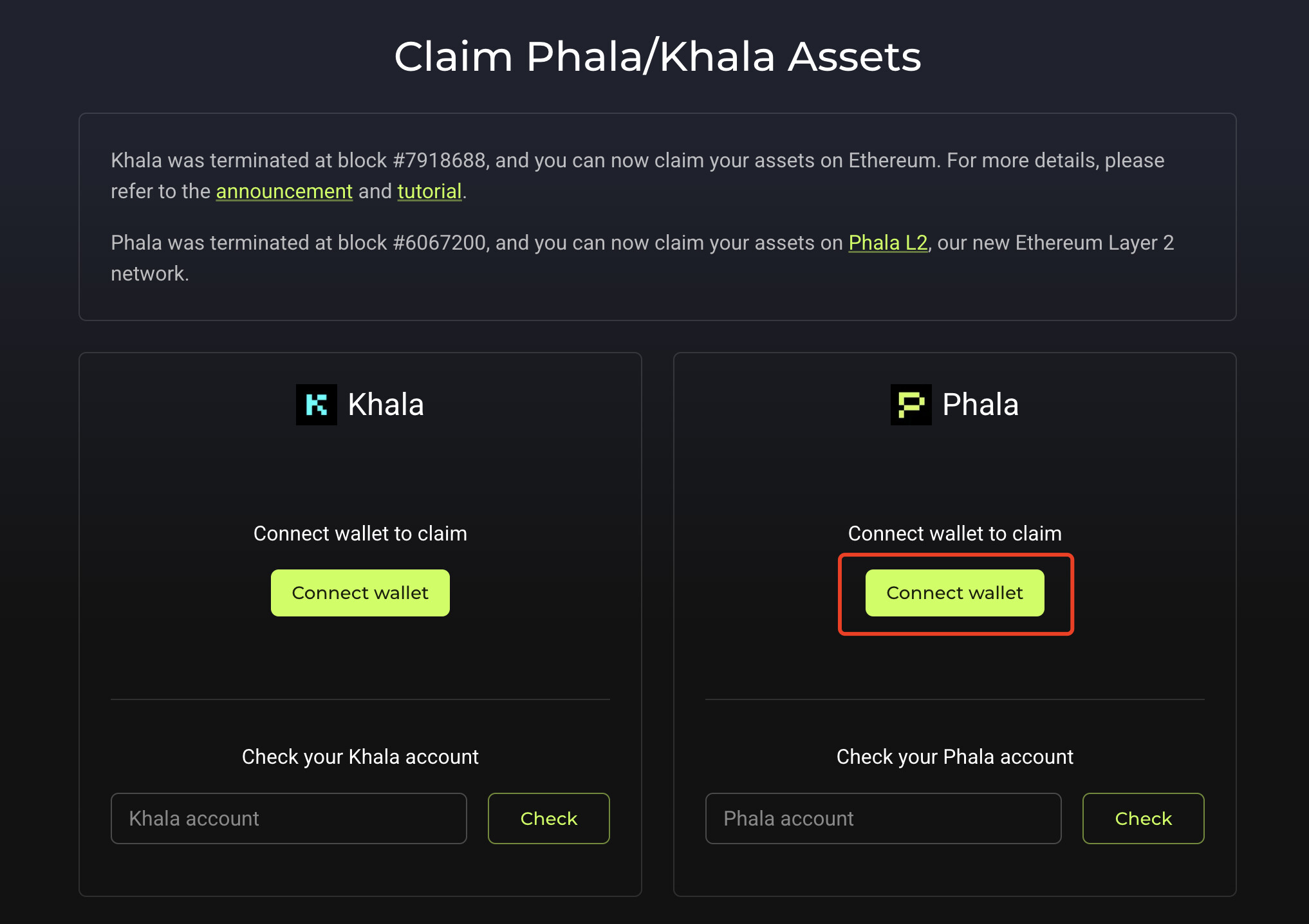
Step 1 — Connect Your Phala / Khala Wallet
- Open the claim page
- Click “Connect Wallet”
- Choose the account that holds your historical assets
- Claimed assets will display “Claimed Successfully” with transaction details
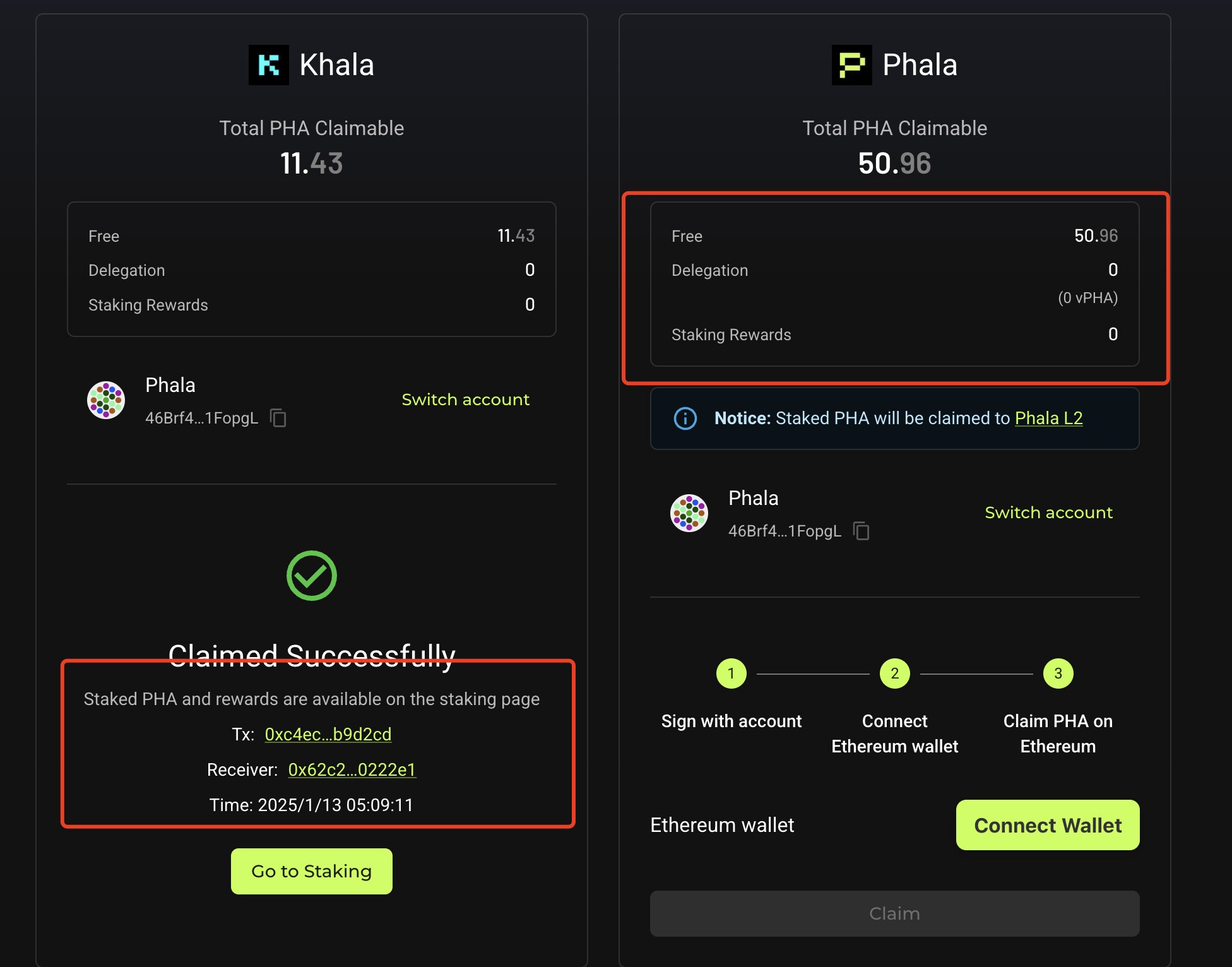
Step 2 — Connect Your Ethereum Receiving Wallet
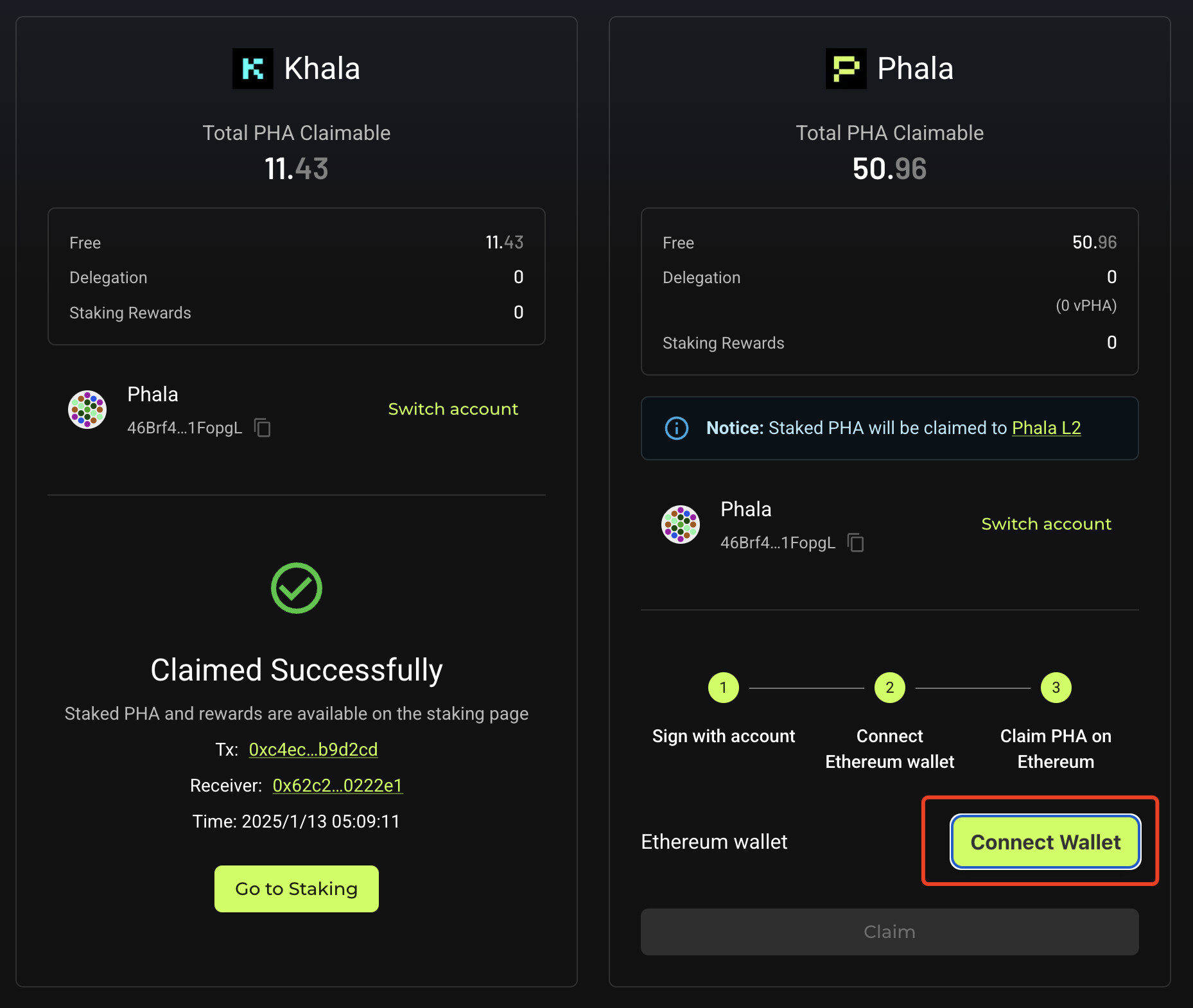
If your assets are unclaimed, you will see another “Connect Wallet” button:
- Click to connect your Ethereum wallet
- Ensure this wallet contains enough ETH to cover gas fees
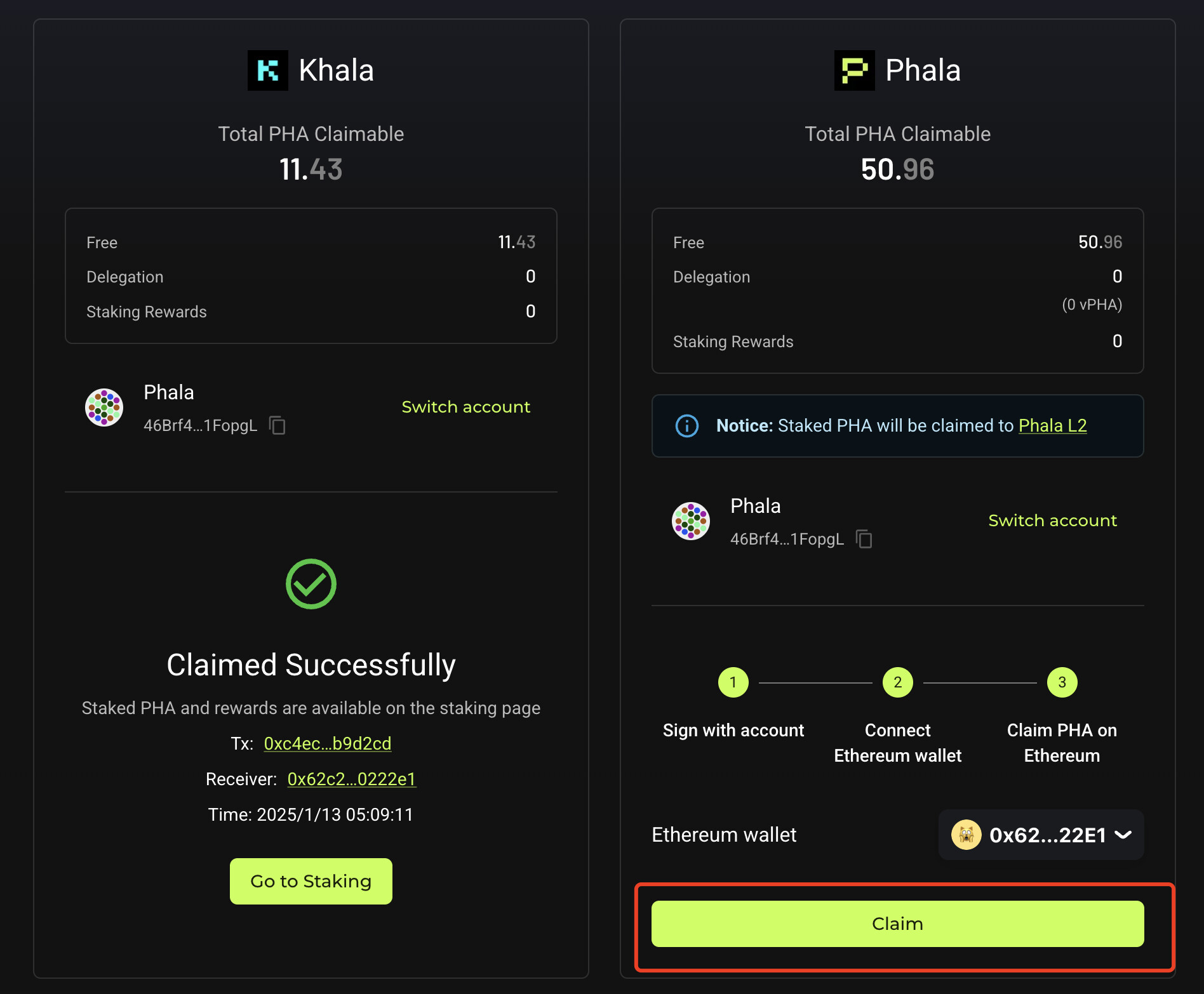
Step 3 — Execute the Claim
- Click “Claim”
- First, sign the message using your Phala / Khala wallet
- A second signature request will appear for your Ethereum wallet
- After both signatures, the claim is processed
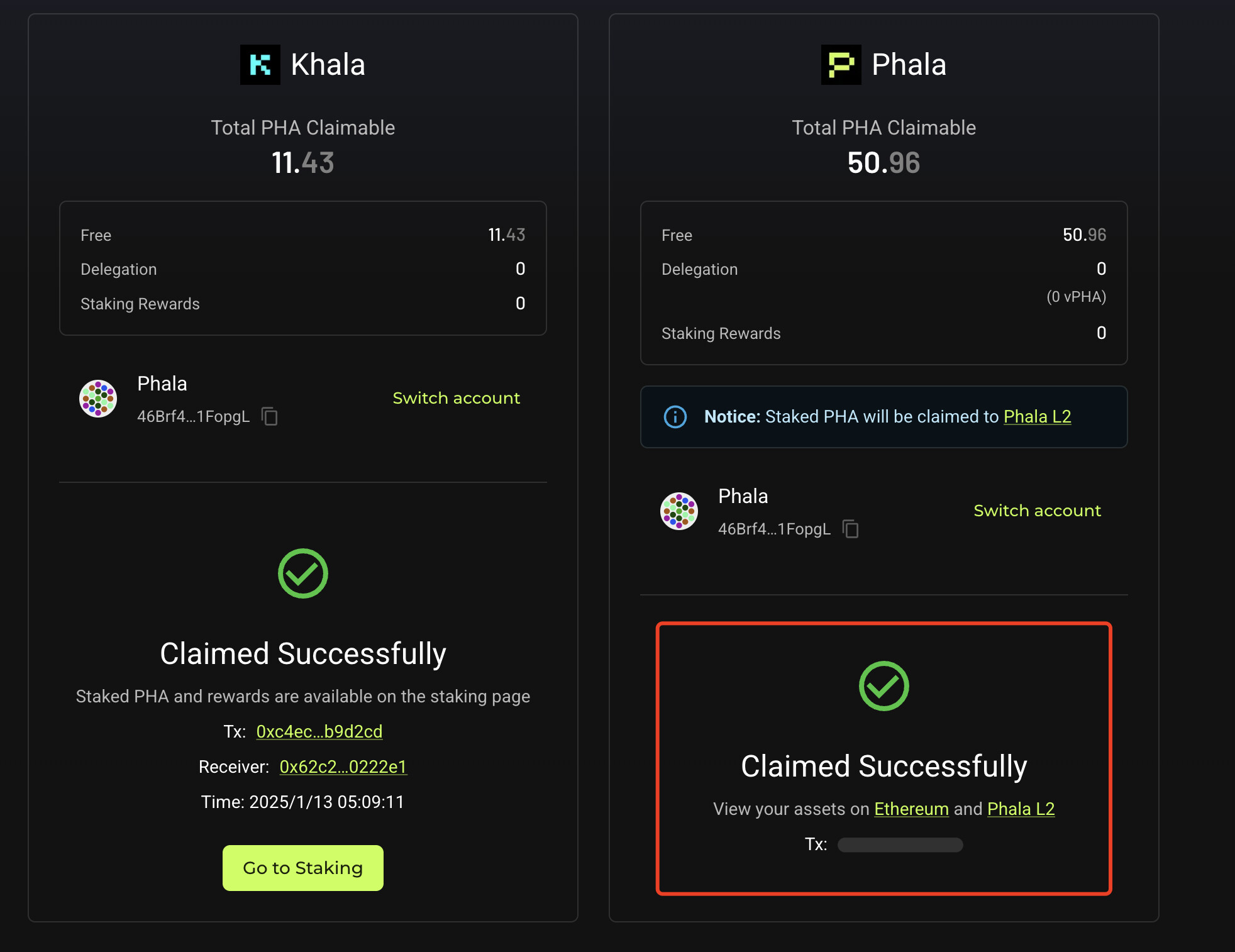
Step 4 — View Your Claimed Assets
- ERC20 PHA appears immediately on Ethereum
- You can view all ERC20 assets on: https://etherscan.io/
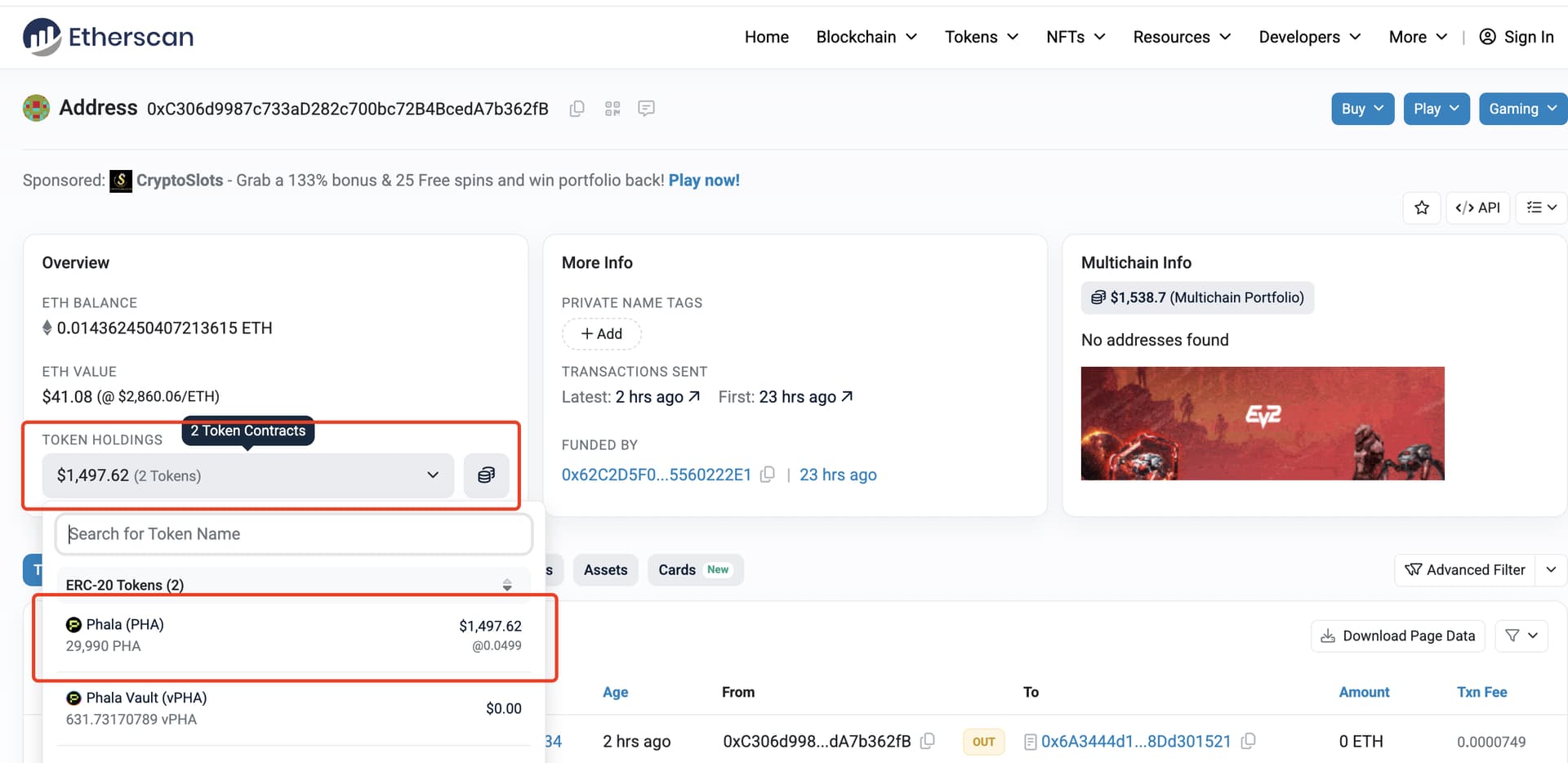
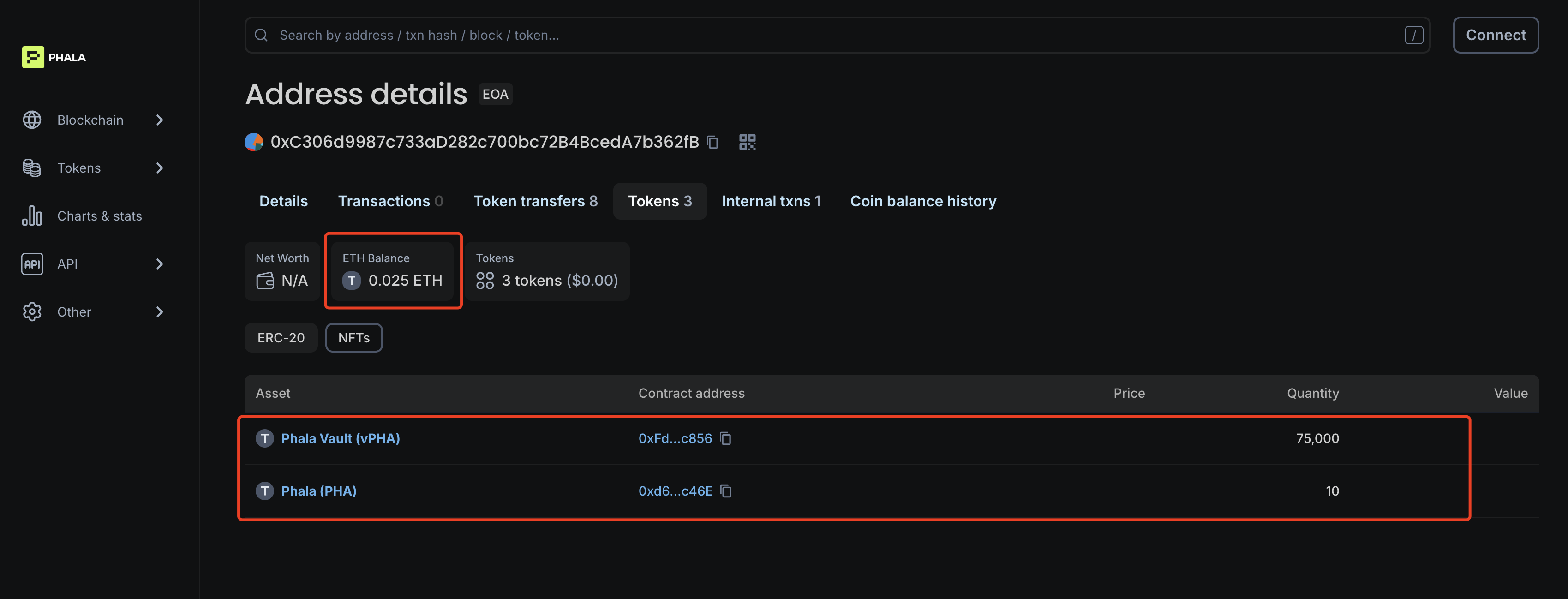
- vPHA (L2) will appear after ~30 seconds on Phala L2
- You can view all L2 assets on: https://explorer.phala.network/
3. Cross-Chain Bridge
Use the official bridge to transfer assets between Ethereum and Phala L2:
Supported assets:
- ETH
- PHA
- vPHA
4. Official Token Contract Addresses (Important!)
Verify all token contract addresses before adding them to your wallet.
Ethereum Mainnet
| Token | Contract Address |
|---|---|
| PHA (ERC20) | 0x6c5bA91642F10282b576d91922Ae6448C9d52f4E |
| vPHA (ERC20) | 0x21d6eC8fc14CaAcc55aFA23cBa66798DAB3a0ec0 |
Phala L2
| Token | Contract Address |
|---|---|
| PHA (L2) | 0xd63dD43678124DEb6bF38b0d7f8cf0674e85c46E |
| vPHA (L2) | 0xFdCEBD2E111D64Fc8a682703Eac62918093ec856 |
Always double-check contract addresses to avoid counterfeit tokens.
5. Special Notes for Ledger/Subwallet Users or Multi-Device Users
If you use Ledger/Subwallet, or you need to perform claims across multiple devices, the process is identical to the previous Khala claim flow.
You can refer to the same guide here:
 Special cases during the Khala assets claim process
All instructions apply directly to this migration.
6. Upcoming Features
Over the next 1–2 days, the following features will go live:
- GPU Mining
- Phala Governance
These modules will appear inside the app at:
https://app.phala.network
If you have further questions or need assistance, feel free to contact us. Thank you for your continued support!